
THERMISIGHT DYNAMICS LLC
See What Others Can't.™
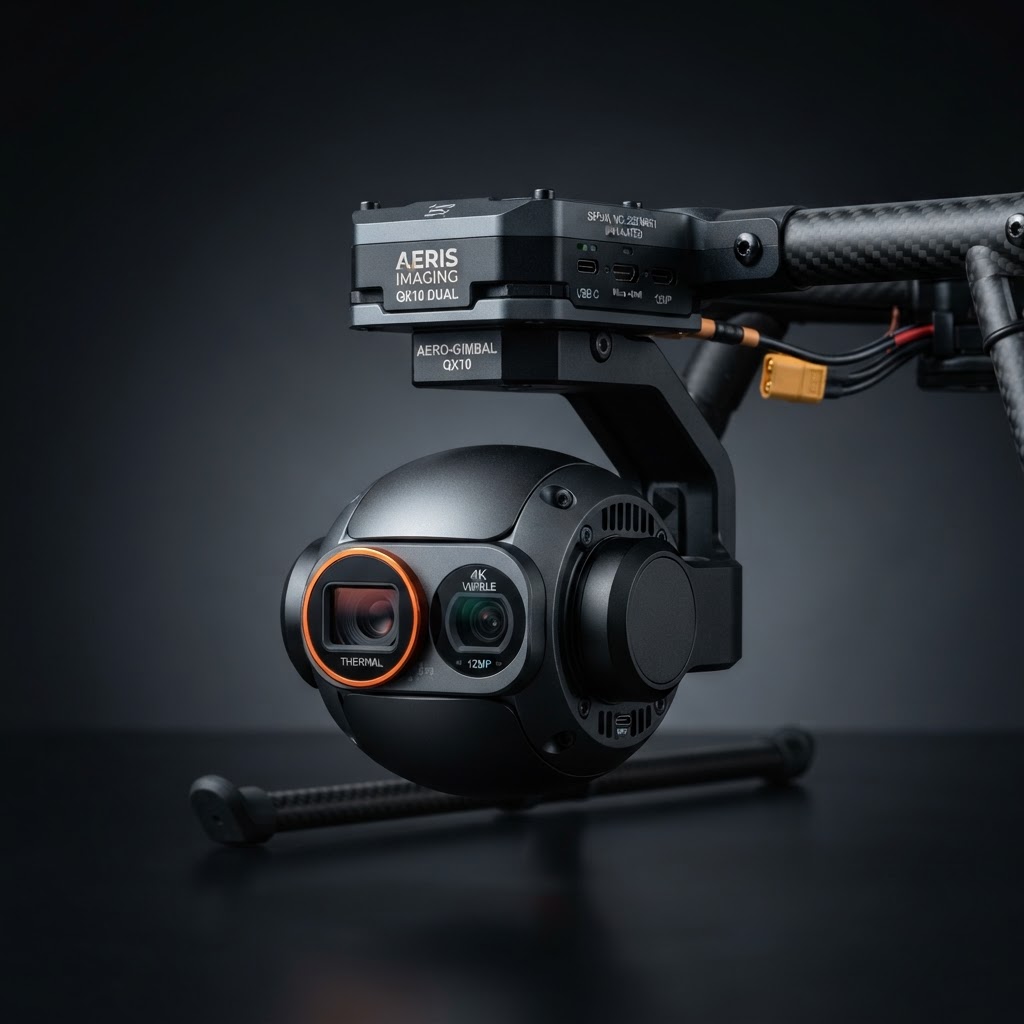
FLIR Drone Thermal Payload Premium
In stock
Only 5 left in stock — order soon
FLIR Drone Thermal Payload — Premium tier test product with 640×640 resolution and 25mK NETD. Placeholder item for catalog filter and search validation.
Why This Product
The FLIR Drone Thermal Payload Premium is a drone-mounted thermal payload engineered for aerial inspection and surveying. Its 640×640 sensor and 25 mK NETD sensitivity delivers exceptional contrast in rain, fog, and high humidity. A built-in laser rangefinder gives you exact distance for precise shot placement. At 12 oz, it's lightweight enough for all-day carry without fatigue. Compatible with major drone platforms, with 24-month warranty and Thermisight's compliance expertise.
Expert Video Reviews
Watch expert reviews on YouTube
See the FLIR Drone Thermal Payload Premium in action — hands-on reviews, field tests & comparisons
Warranty
2-year limited manufacturer warranty
- Covers defects in materials & workmanship
- 30-day satisfaction return window
Financing Calculator
- Purchase price
- $3,499
- APR
- 0%
- Down payment
- $0
- Total of payments
- $3,499
Estimates only. Subject to credit approval at checkout. Select "Pay over time" during checkout to apply.
Complete your kit
Specifications
- Resolution
- 640×640 | NETD: 25mK | Detection: 1200yd | Weight: 12oz
Compare detection range & sensitivity
Loading comparison…
Related optics
Related guides
All guidesCare & Maintenance
Gimbal Care
- •Inspect gimbal dampeners before each flight — worn dampeners cause image vibration.
- •Never force the gimbal by hand; allow it to self-calibrate on power-up.
- •Transport with the gimbal locked in its mount to prevent free-swing damage.
Lens & Sensor
- •Clean the thermal lens with a microfiber cloth and optical solution only.
- •Never fly in rain or heavy fog — moisture on the lens ruins the thermal image and can damage the sensor.
- •Allow the sensor to acclimate to ambient temperature before powering on to avoid calibration drift.
Firmware & Storage
- •Update firmware before each flying season for the latest features and NDAA compliance patches.
- •Store in a padded case with desiccant packs to prevent moisture damage.
- •Remove the battery for storage longer than 30 days; store at 40–60% charge.
Questions & Answers
Ask a question — get an instant answer from our optics team.
Loading questions…
Reviews
No reviews yet.